Hello,

It is about DELETE row in the UI

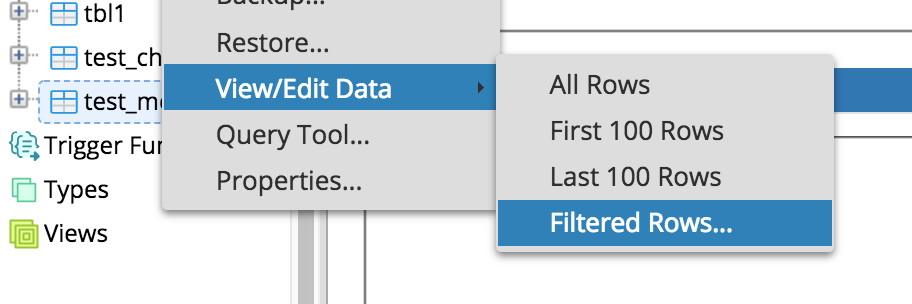
When I execute a query via the context menu browser tree View/Edit Data and select a row the DELETE button becomes
activeand I am able to delete a row.
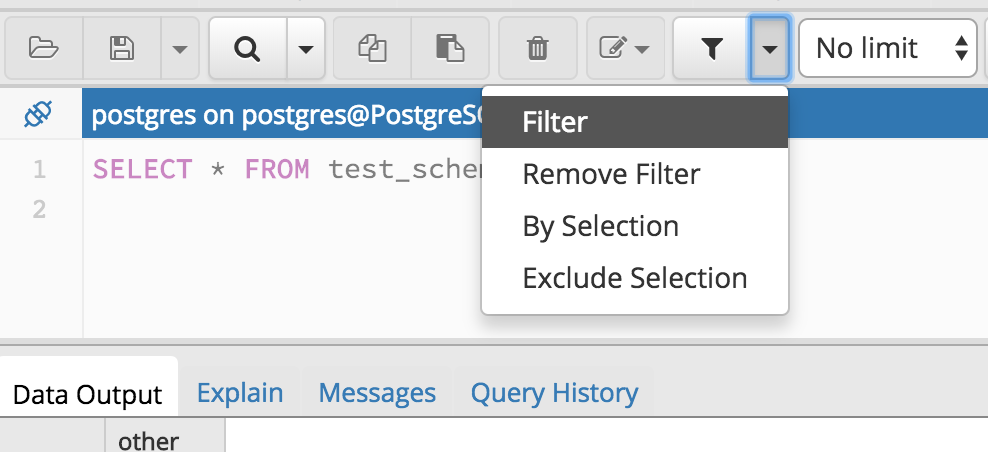
There is only a limited possibility to modify this query with the filter and the number of rows pulldown.

When I execute a query with the Query Tool I am NOT able to delete a row. The delete button is NOT active.

I would like to make my own query and delete some rows from the result.
Did not find a way to do this.

Is this “works as designed” or am I missing something?

BTW: In the documentation “Reviewing and Editing data” the description of the DELETE button is wrong.

Thanks,

peter
Hello,
It is about DELETE row in the UI
When I execute a query via the context menu browser tree View/Edit Data and select a row the DELETE button becomes active and I am able to delete a row.
There is only a limited possibility to modify this query with the filter and the number of rows pulldown.
When I execute a query with the Query Tool I am NOT able to delete a row. The delete button is NOT active.
I would like to make my own query and delete some rows from the result.
Did not find a way to do this.
Is this “works as designed” or am I missing something?
BTW: In the documentation “Reviewing and Editing data” the description of the DELETE button is wrong.
Thanks,
peter
Сайт использует файлы cookie для корректной работы и повышения удобства. Нажимая кнопку «Принять» или продолжая пользоваться сайтом, вы соглашаетесь на их использование в соответствии с Политикой в отношении обработки cookie ООО «ППГ», в том числе на передачу данных из файлов cookie сторонним статистическим и рекламным службам. Вы можете управлять настройками cookie через параметры вашего браузера