Re: Server Status window work
| От | Dave Page |
|---|---|
| Тема | Re: Server Status window work |
| Дата | |
| Msg-id | 937d27e10902190143k2a286bdcxff57d5e16dfa49b9@mail.gmail.com обсуждение исходный текст |
| Ответ на | Re: Server Status window work (Guillaume Lelarge <guillaume@lelarge.info>) |
| Ответы |
Re: Server Status window work
|
| Список | pgadmin-hackers |
On Wed, Feb 18, 2009 at 11:02 PM, Guillaume Lelarge
<guillaume@lelarge.info> wrote:

> Done. It was much harder than I initially thought but I really like this
> one. I checked on each platform and it behaves nicely on each.

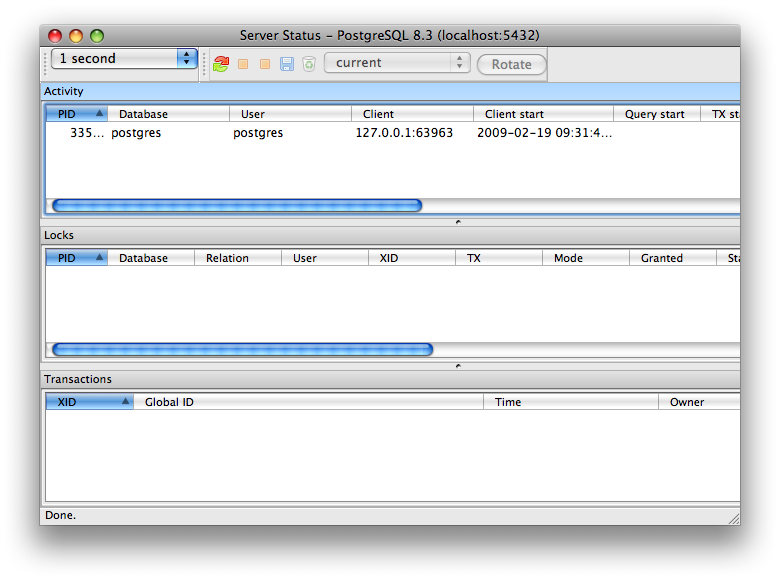
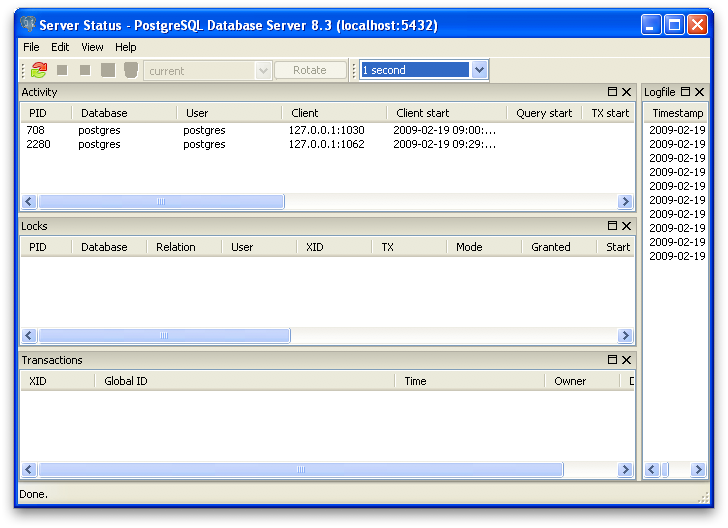
Yeah, that looks much nicer. I tried it on Windows and Mac, and came
across the following issues. Note that I've attached a couple of
screenshots of the default layouts (ie. having removed all frmStatus
related settings from the ini file/registry):

- The Refresh rate combo box is top-justified on Mac. Why is it on a
separate toolbar though?

- The terminate backend button icon should at least be a different
colour from the cancel button.

- If I undock a pane on Mac, the default size is about 2 pixels wide
by 20 high (thats a guess). Makes it pretty hard to see or resize :-p

- If I set a different refresh time for each pane, I would expect to
see the value change in the combo box when I select different panes.

- Should we use wxAUI_MGR_ALLOW_ACTIVE_PANE when we setup the manager?
That will display the title bar of the active pane in a different
colour, but it's not entirely tied to whether or not the listview is
active or not. You can see this in the Mac screenshot.

- The timer defaults should probably be more like 10 seconds than 1.

- There should be a view option for the toolbar.

- The default layout does not work with the default size. See the screenshots.

We're getting there though :-)

--
Dave Page
EnterpriseDB UK:   http://www.enterprisedb.com
Вложения
В списке pgadmin-hackers по дате отправления: